The management view: money, pipeline and inventory on one screen
Most owners of property businesses find out how the month went after the month is over. When the reports read the same records the team works in, management can steer while there is still time.
Ask the owner of a property business how the month is going, and the honest answer is often "I will know next week". The sales figures come from one spreadsheet, the collections from another, the inventory from the sales office, and someone spends the first days of every month putting them together.
By the time the report is ready, it describes a month nobody can change any more.
Why reports are slow
Reports are slow when they are assembled from copies. Each department keeps its own version of the truth, and the report is a reconciliation of those versions. The numbers disagree, someone investigates, and the meeting is about whose spreadsheet is right rather than about what to do.
When the team works in one system, the report is not assembled. It is read.
One dashboard for the whole business
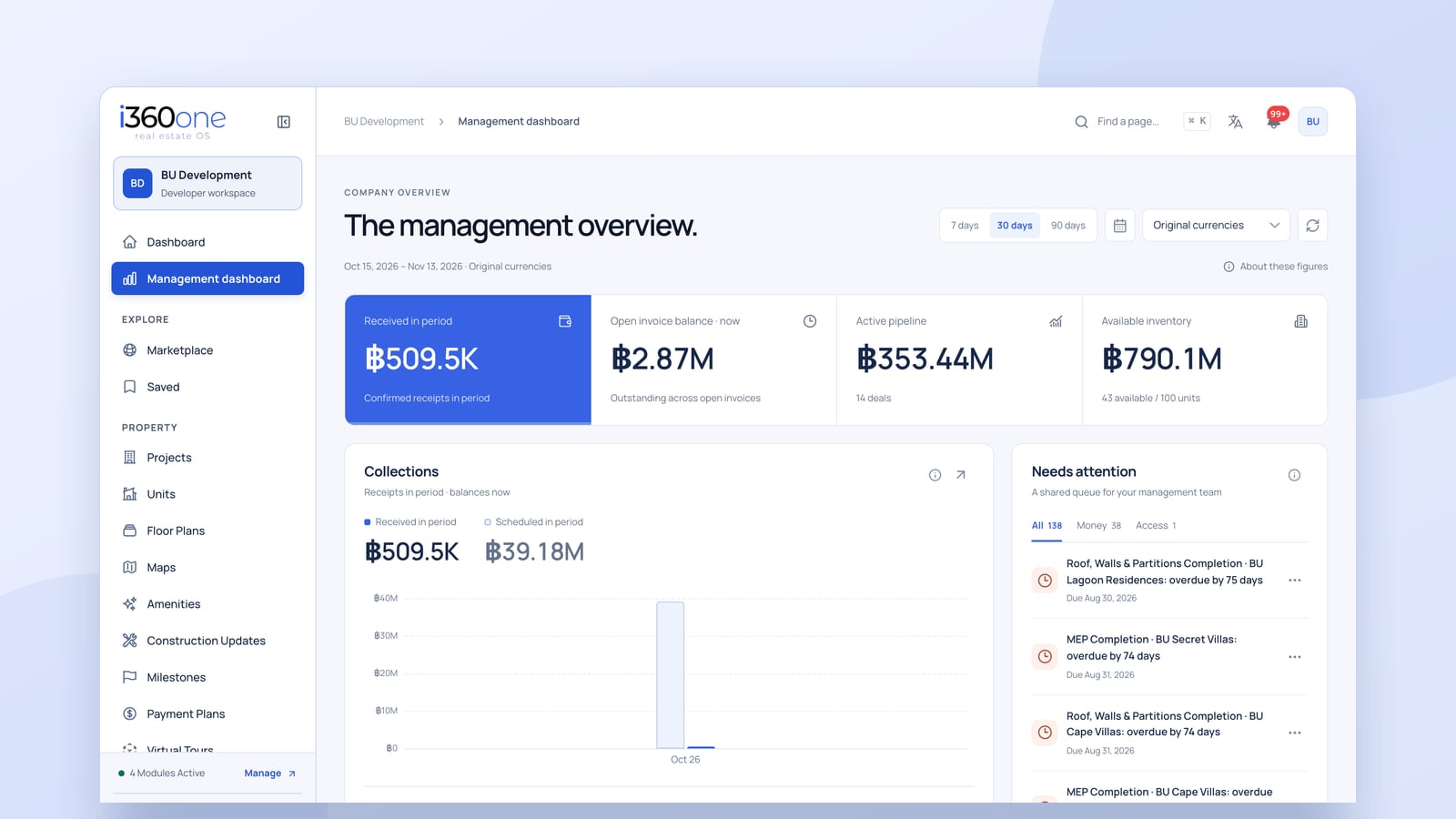
The management dashboard in i360one shows money, portfolio and activity across your workspace in one place:
- Money: what has been invoiced, collected and is still open, and what is overdue.
- Pipeline: the deals in progress, by stage and value, and what is close to closing.
- Inventory: available, reserved and sold units across your projects.
- Activity: what your team has been doing in the system.
Activity follows the period you choose. Open balances and inventory are always current snapshots, because they are read from the live records rather than from last month's export.
The dashboard is also honest about what it measures. System activity shows how the system is used, not hours worked or how productive anyone is, and the dashboard says so.
The attention queue
A dashboard tells you how things are. The attention queue tells you what to do about it: overdue payments, decisions waiting for approval, items that have stalled.
The queue is shared by the managers of the workspace. When one manager deals with an item, it changes for everyone, so two people do not chase the same buyer and nobody assumes someone else has it.
A history of every change
When a price changes, a unit is reserved or a deal moves stage, the activity history records who did it and when. Questions like "who put A-1204 on hold, and when?" have an answer in seconds, not after an afternoon of asking around.
That history is not about blame. It is what lets a manager trust the numbers on the dashboard, because every number can be traced back to the change that produced it.
The right access for each person
A growing business needs different people to see different things. Team members are invited to the workspace with the permissions their role needs: a sales agent works on contacts and deals, accounting on invoices and payments, a project manager on construction updates, and the owner sees everything.
People who work for more than one business, such as an agent who works with two agencies or a consultant who serves several developers, keep one login and switch between workspaces, each with its own permissions and its own data.
Each person's own dashboard
Not everyone needs the management view. Each person's daily dashboard shows the widgets their role needs: an agent's follow-ups for today, an accountant's payments to confirm, a manager's queue. Everyone starts the day looking at their own work, drawn from the same records as everyone else's.
Steering instead of reporting
The value of a management view is not the charts. It is the time it gives back. When the numbers are live, a manager notices in the second week that collections are slipping or that one project's pipeline has gone quiet, and there are still two weeks left to act.
That is the last link in a connected real estate business: the same records that run the daily work also tell the owners how the business is doing, today.