From price list to live inventory: keeping unit availability honest
A price list is a photograph of your inventory on the day it was made. Here is how to turn it into live inventory that every channel reads from, in an afternoon.
Every developer has one: the price list. A spreadsheet or PDF with unit numbers, floors, sizes, prices and a status column that someone colours in by hand. It is the most important document in the sales office, and it is out of date the moment it is sent.
A price list is a photograph of your inventory on the day it was made. Live inventory is the inventory itself. This article walks through how to get from one to the other, and how to keep it honest once you are there.
Step 1: import what you already have
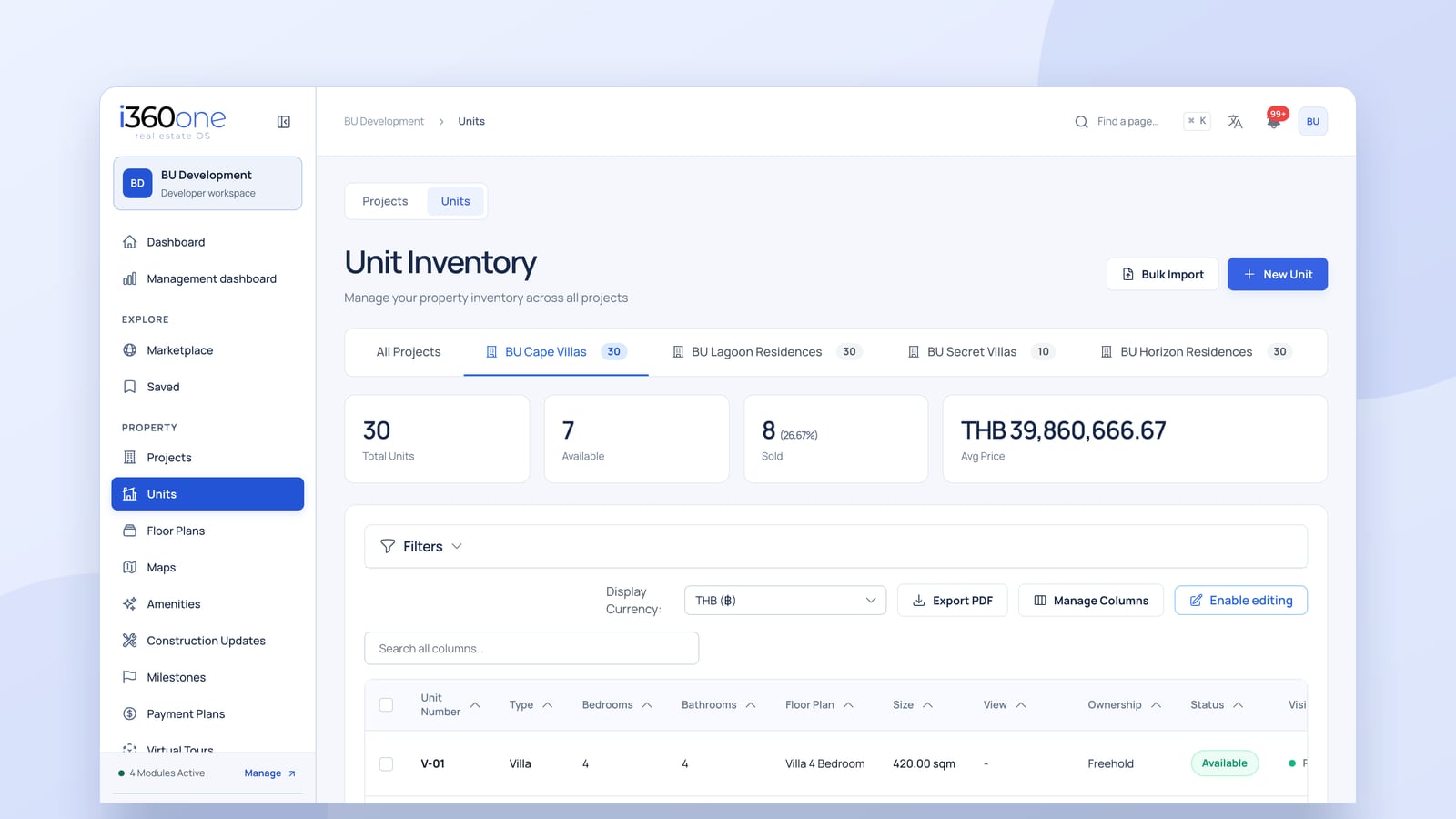
You do not need to type units in one by one. In i360one you upload the price list you already use, as a CSV or Excel file. The system reads the rows, shows you what it understood, and lets you review before anything is created.
Real price lists are messy: merged cells, prices with currency symbols, "2 Bed + Study" in the size column. When a value cannot be read, the import says exactly which values were dropped and from which rows. The units are still created, and you either fix those cells in your spreadsheet and import again, or correct the few units directly.
A few habits make the first import cleaner:
- One row per unit, one column per fact (unit number, floor, layout, size, price, status).
- Prices as plain numbers, without currency symbols or text.
- Statuses using one consistent word for each state.
Step 2: organise layouts and floor plans
Most projects have far fewer layouts than units. Forty units may share five layouts, each with its own floor plan image, size and room count. Set these up once as layouts and link the units to them.
This matters more than it seems. When the architect revises the plan for layout B, you replace one image, and every unit of that layout, every page and every presentation that shows it uses the new plan. You never hunt for the old file in twenty folders again.
Photos and videos work the same way: they belong to the project, the layout or the unit they show, so they travel with that record wherever it appears.
Step 3: agree on what each status means
Live inventory only stays honest if everyone uses statuses the same way. i360one uses five:
| Status | What it should mean in your office |
|---|---|
| Available | can be offered to any buyer today |
| On Hold | held internally, for a short time, for a named reason |
| Reserved | a buyer has reserved it; the deal is in progress |
| Sold | the sale is complete |
| Rented | let to a tenant |
Write down who may change a status and when. A common rule: only the sales manager moves a unit to On Hold, and any hold older than a few days gets reviewed. Units on hold that nobody remembers holding are one of the quietest ways a project loses sales.
Step 4: change prices in bulk, not one by one
Price changes rarely touch one unit. A new phase opens, a floor gets a premium, an early-bird discount ends. Bulk editing lets you select the units and change them together, without opening each record.
Because every channel reads from the same records, a bulk price change is also a bulk update of your website, your partner agencies' view and every presentation generated from that moment on.
Step 5: share views, not files
Once inventory is live, stop sending files that will go stale. Share views instead:
- Price-list exports are generated from the current data when someone asks for them, for exactly the units you select.
- Project presentations and unit proposals are built from the record at that moment, so they carry today's price and today's status.
- Your website and i360.homes show public units directly from inventory. Only units still on the market are offered to search engines; sold units keep their pages but stop being advertised.
If someone forwards a two-month-old PDF, the date on it tells the buyer it is old, and the live page tells them what is true now.
What changes after the switch
The first week feels like extra work: cleaning the import, agreeing on statuses, linking layouts. After that, the work goes away. Nobody updates a price list file, because there is no file to update. Nobody asks which version is current, because there is only one.
And the conversations with buyers get easier. When an agent says a unit is available, it is. That is what honest availability means, and it is the foundation for everything else in a connected real estate business.